Download ReflexoDesk
Your professional software to manage your reflexology practice securely.
Chargement des téléchargements…
Why ReflexoDesk?
Compare your daily routine before and after.
Without ReflexoDesk
Paper consultation notes, risk of loss
Search alone for the right approach during the session
Invoices and accounting books kept by hand
Paper agenda and online requests to copy
Health data scattered or entrusted to an online service
With ReflexoDesk
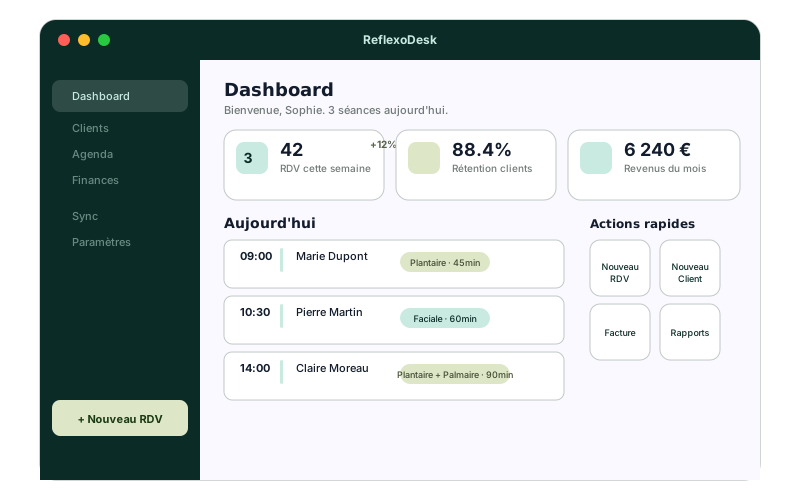
Consultations on interactive reflex maps, automatically recorded
A local AI co‑pilot that knows the file and the current session
Invoices, books and URSSAF declarations tracked, accounting file ready
Agenda synchronized with ReflexoLib, requests accepted with one click
Encrypted database on your computer, consultations never sent
Installation in 4 steps
Ready in a few minutes.
Download
Choose your system (Mac or Windows) and download the application.
Install
On Mac: drag ReflexoDesk into Applications. On Windows: run the installer.
Log in
Use your ReflexoLib account or create one from the app. Your local database is created and encrypted on this computer.
All set!
Clients, appointments and services synchronize. Activate the local AI in settings whenever you wish.
Frequently asked questions
Is ReflexoDesk free?expand_more
Yes, up to 5 clients with records (sessions or invoices), with no time limit. The Desk plan unlocks unlimited clients, with no commitment.
Are my data secure?expand_more
Your data are encrypted on the computer with a key unique to this device. Sessions and exchanges with the AI never leave your computer.
Can I use ReflexoDesk offline?expand_more
Yes. After the first connection, sessions, calendar, records and accounting work without internet. Synchronization resumes automatically.
Can I install it on multiple computers?expand_more
Yes, with the same account on each device. Clients, appointments and services follow you; sessions remain on the computer where they were entered.
Do I need a powerful computer for the AI?expand_more
No: the ternary Mity engine is designed for a laptop. The local AI currently runs on Apple‑chip Macs and requires about 1.5 GB of disk space for the model.
Need assistance?
Our team assists you with installation and getting started.